Roofing: worked example

A roofing contractor sending out an industrial reroof

An industrial reroof combines the firm's own labour, specialist gangs, access hire and materials from several merchants. This is how it would run in SUBR.

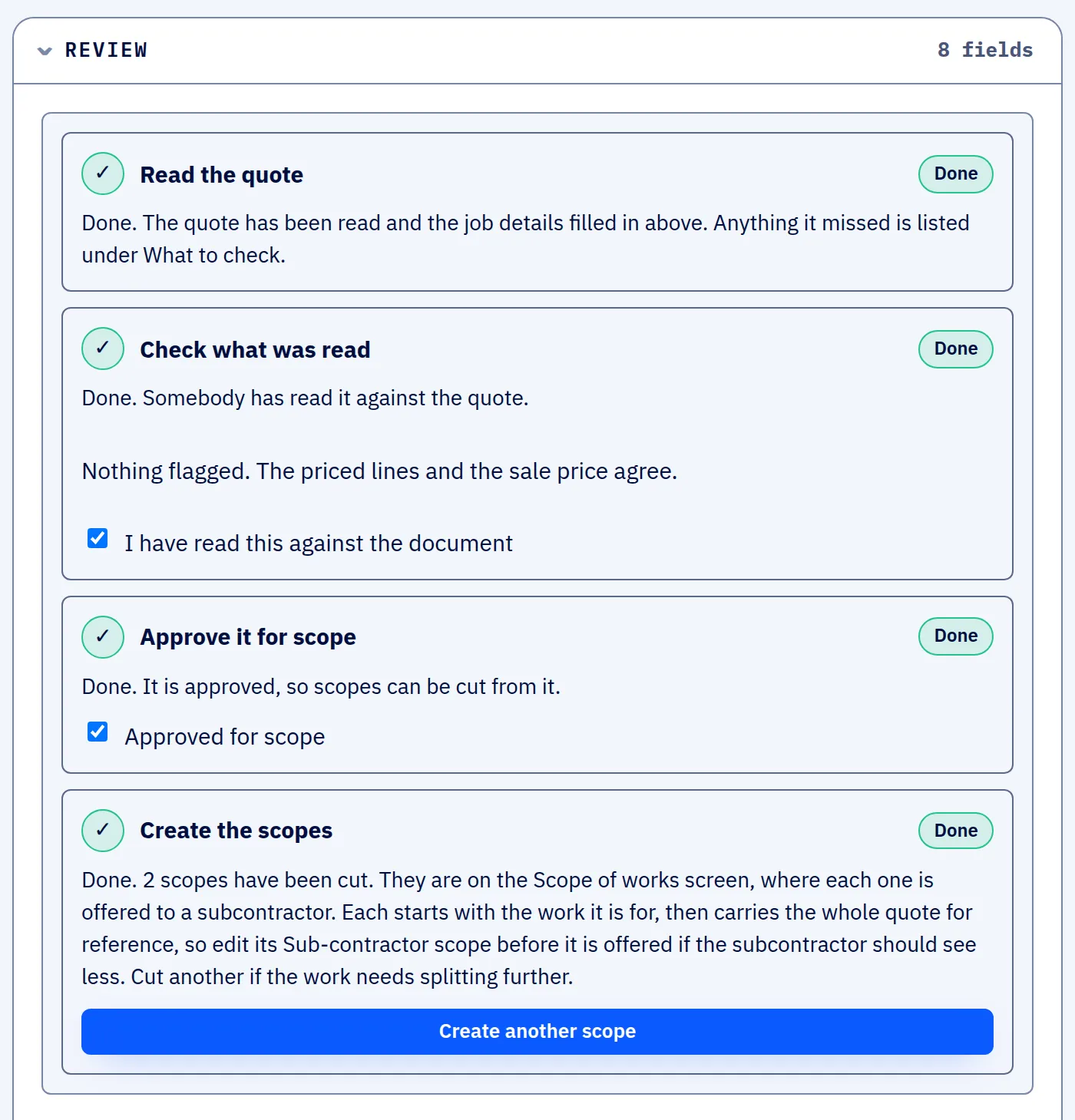
The Review section of a quote in SUBR with four steps marked Done: the quote read, the read checked against the document, approved for scope, and two scopes cut.
A quote that has been read, checked with the office's two ticks and approved, with two scopes cut from it. Screen from SUBR's demonstration workspace. All names are invented.

This is a worked example, not a customer story. SUBR is new, so we show how a firm like this would use it. Real case studies from our Founding Firms will replace these examples.

The firm

A commercial and industrial roofing contractor with a small office, its own fixers and a specialist gang it subcontracts for single-ply work.

Before SUBR

The quote for a warehouse reroof lists strip-out, sheeting, gutters and flashings, and access, each priced to the client. The single-ply gang needs its own version with no figures on it.

Sheets, fixings and access equipment are priced with several merchants and hire firms for every job.
With SUBR

Each step on a real SUBR screen. The screens come from the demonstration workspace and show one example job, a brickwork repair; a roofing quote goes through exactly the same steps.

Quote read

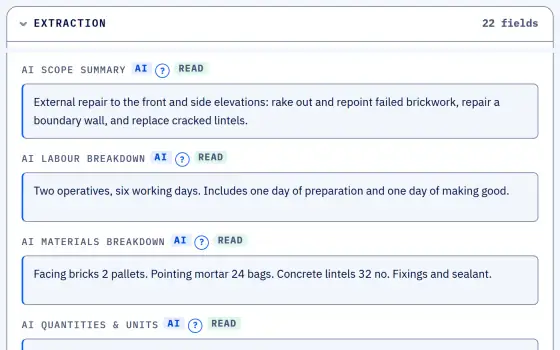
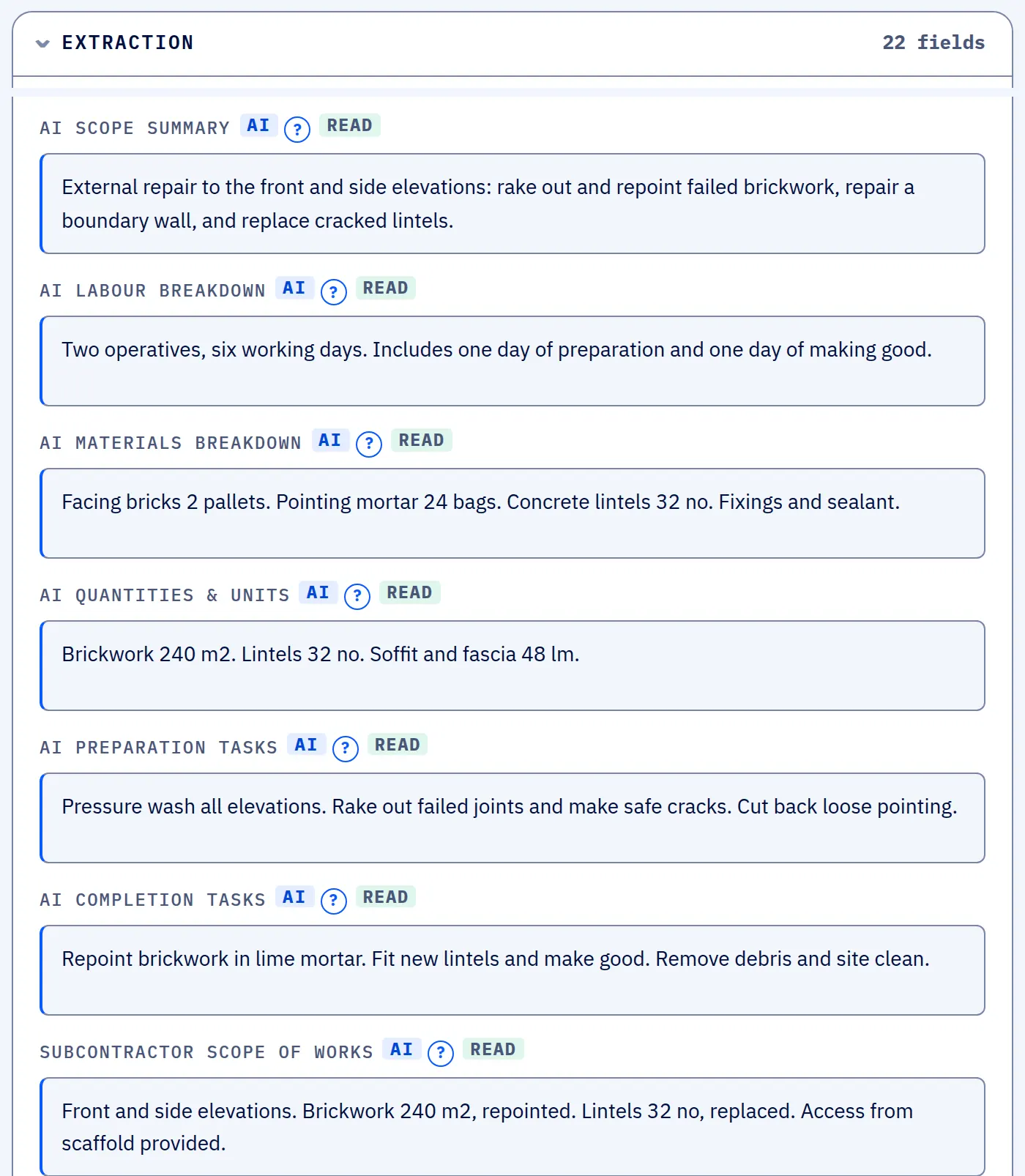
The office uploads the quote. AI reads the client, the site, the dates, the priced lines and the wording, and the office checks it before anything moves on.

The AI's read of a quote in SUBR: a scope summary, labour breakdown, materials breakdown, quantities, preparation and completion tasks, and the wording for the subcontractor.
What the AI read from the quote PDF: scope, labour, materials, quantities and the wording for the subcontractor. Screen from SUBR's demonstration workspace. All names are invented.

Scopes built

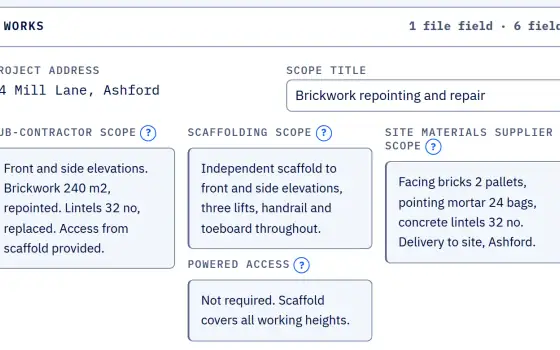
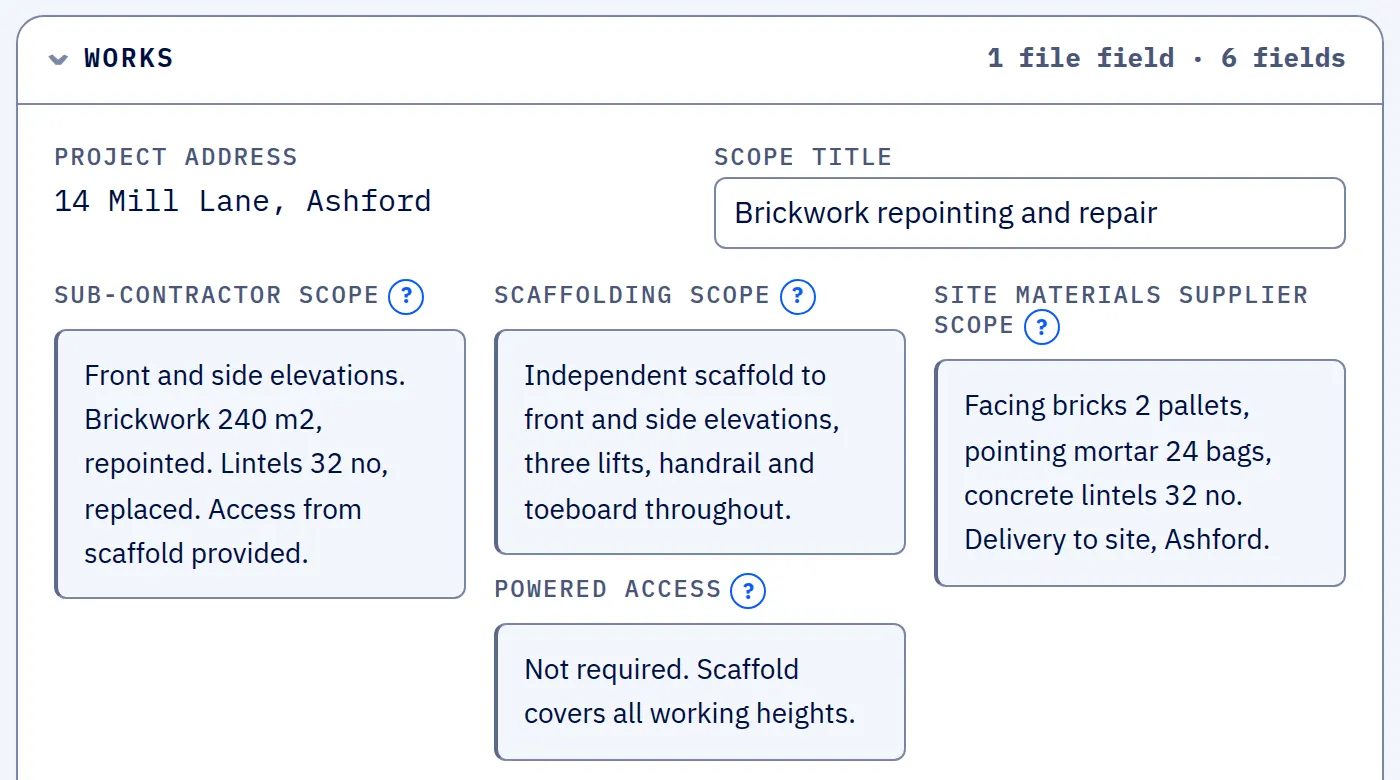
SUBR cuts the single-ply scope with no job costs, margin or client price, a materials request for the merchants, and a scope of works for the project manager.

The works section of a scope in SUBR with the sub-contractor scope, scaffolding scope, powered access and site materials supplier scope, and no costs, margin or client price.
One scope cut from the quote: the work, the scaffold and the materials wording a subcontractor needs. No job costs, margin or client price. Screen from SUBR's demonstration workspace. All names are invented.

Work offered

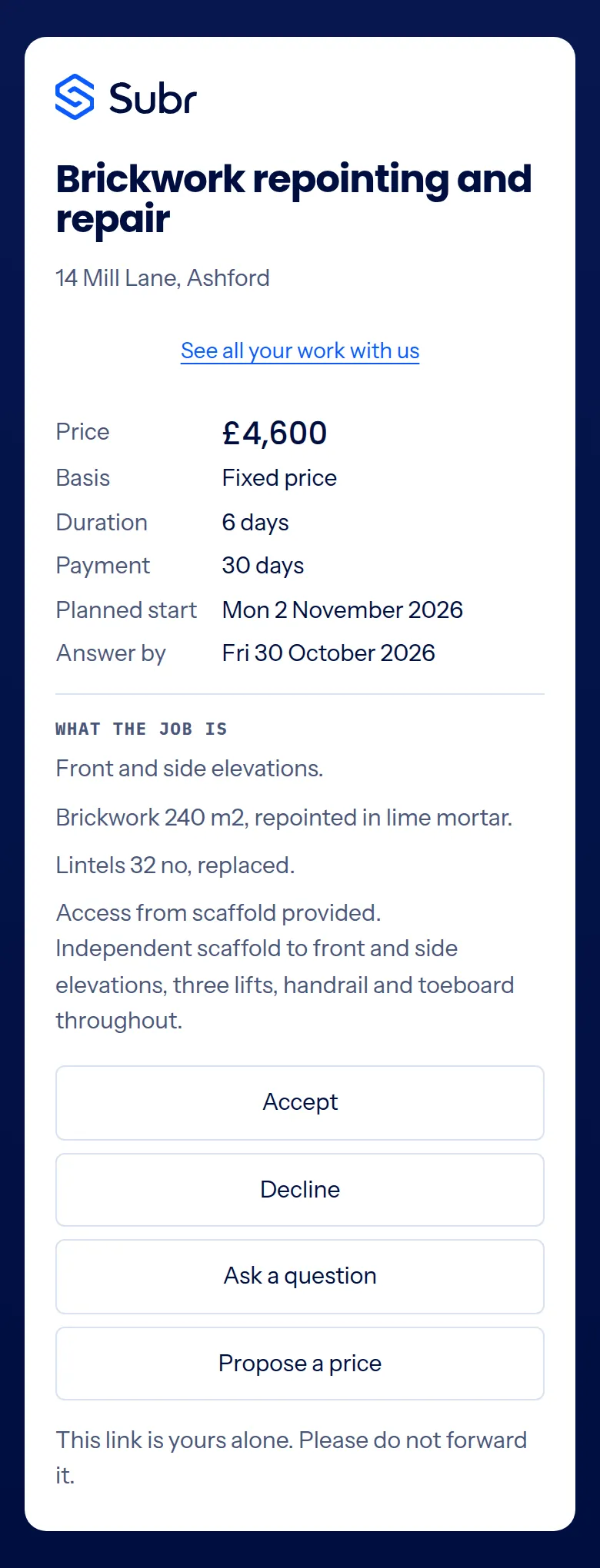
The office sends the gang its link. The gang sees the trade, the address, the wording, an answer-by date and its own price, and nothing else.

A subcontractor's offer on a phone: price, basis, duration, payment and start date, what the job is, and four buttons to accept, decline, ask a question or propose a price.
The same offer on the subcontractor's phone: accept, decline, ask a question or propose a price. No account. Screen from SUBR, shown with invented example details. All names are invented.
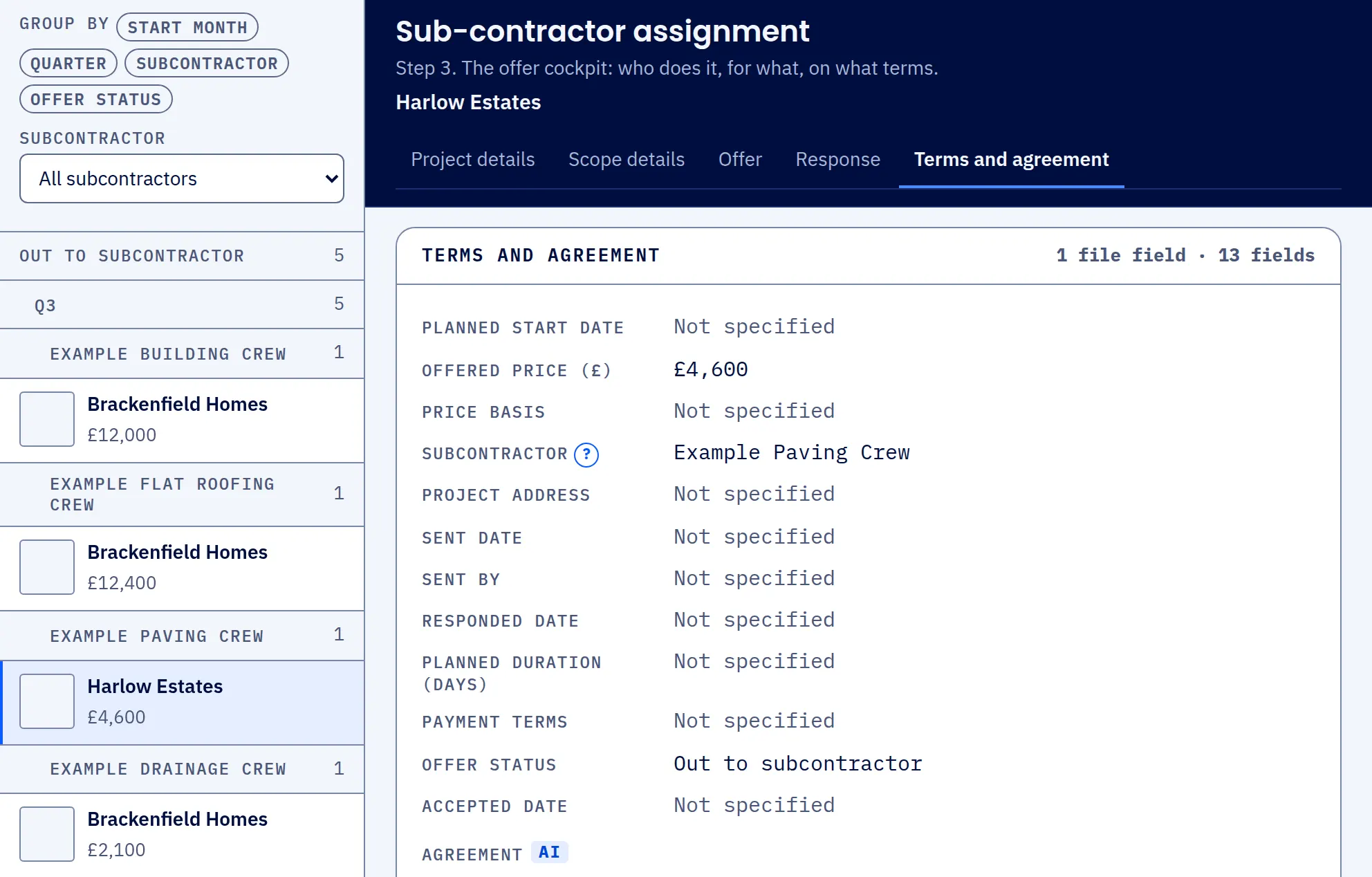
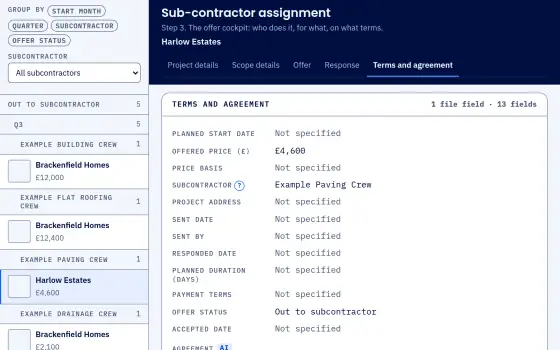
The offers screen in SUBR with offers out to subcontractors listed by crew, and one offer open showing its price, its subcontractor and its status.
Offers out to subcontractors, listed by crew, with the price offered and the answer still awaited. Swipe sideways to see the whole screen. Screen from SUBR's demonstration workspace. All names are invented.

Pre-start

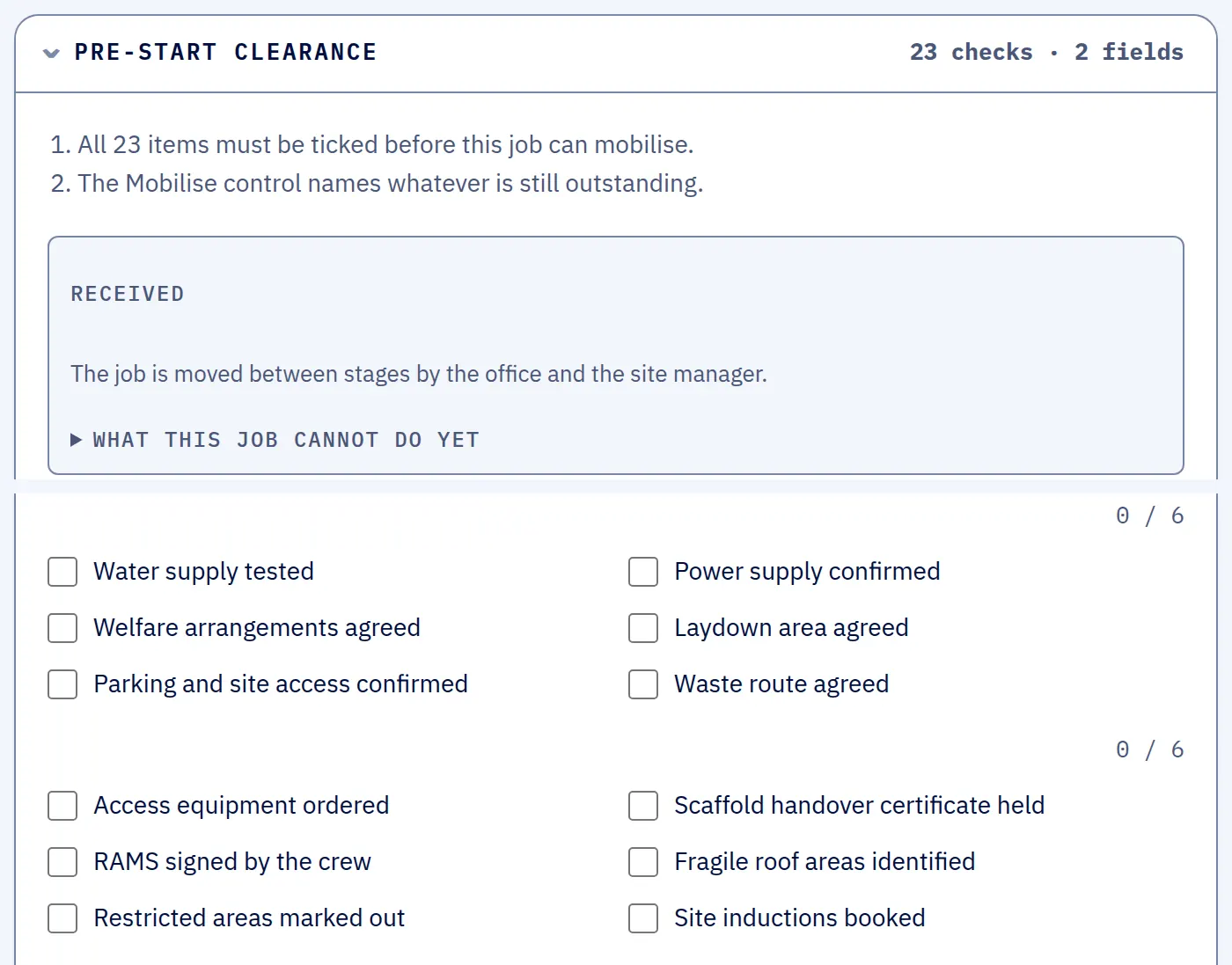
The job cannot be marked mobilised until all 23 pre-start items are ticked, including the subcontractor's compliance being in date.

The pre-start clearance on a job in SUBR, with the 23 items to tick before it can mobilise and none of them ticked yet. The first two groups are shown.
The pre-start check on a job that has just been received: 23 items to tick, none done yet, so it cannot be mobilised. The first two groups are shown. Screen from SUBR's demonstration workspace. All names are invented.

On site and closed out

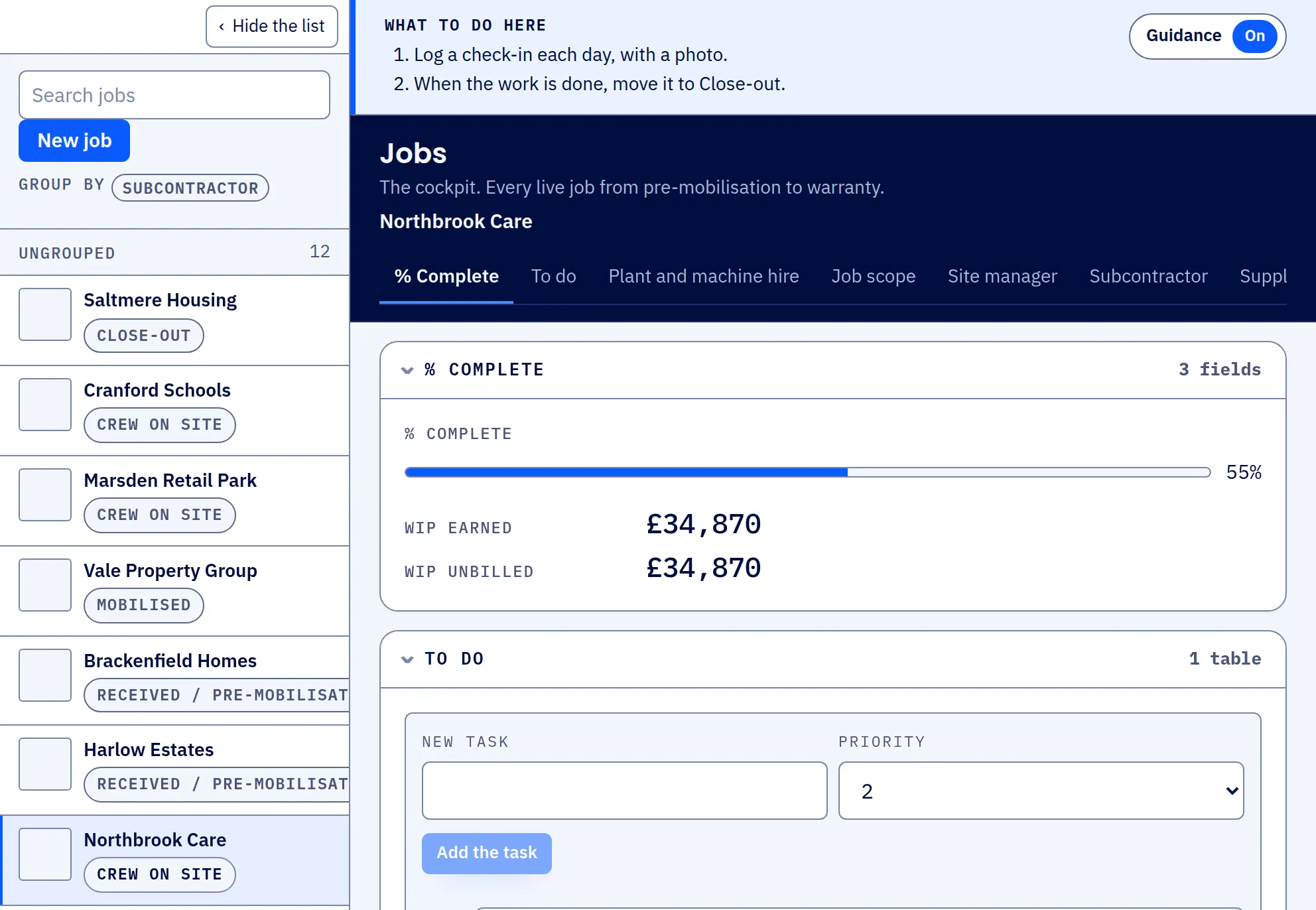
The site manager logs each day, and the reroof stays on one project from the quote to close-out.

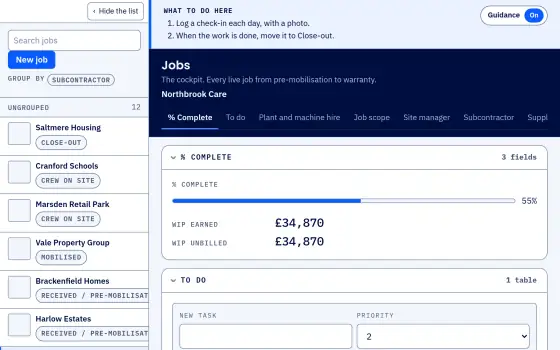
The jobs board in SUBR with every job and its stage listed on the left, and a job with crew on site open on the right showing its progress and its to-do list.
The jobs board: every job and its stage, with a job on site open to show its progress and to-do list. Each day is logged on the job as a check-in. Swipe sideways to see the whole screen. Screen from SUBR's demonstration workspace. All names are invented.
Book a demo

See it on a quote

A short call. We walk a dummy quote from PDF to jobs on site.